
Creator guides
Before You Create a Dose
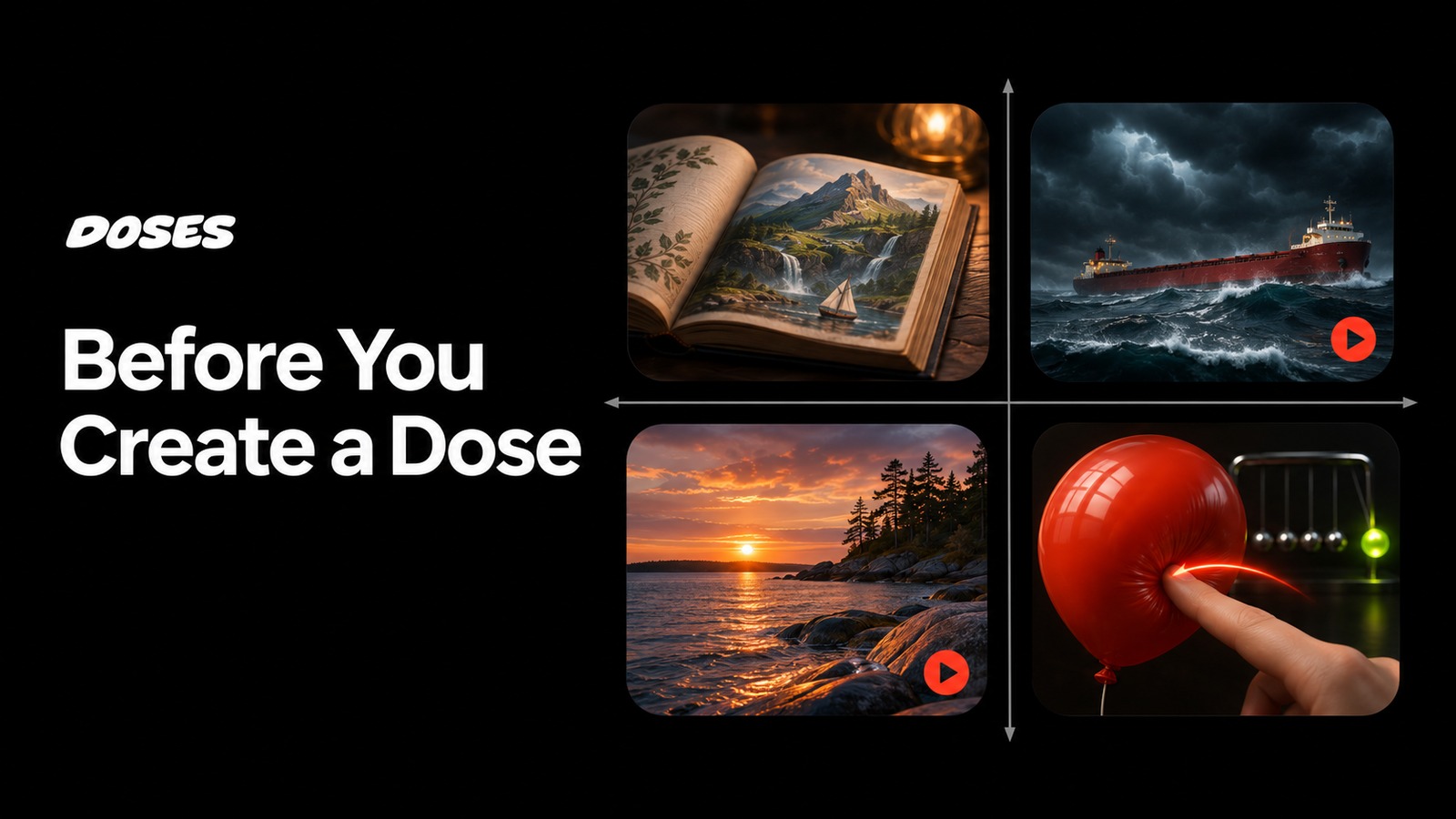
A person opens your dose. They see a ship in a storm, a football field, or a knife above a cucumber. Before they touch the screen, they are already trying to understand what they are looking at and what they can do.
Those first moments are part of the experience you create. As you plan your dose, consider three questions: What does the audience already know? What do they get to contribute? How will they understand the controls?
Decide what the audience brings
Some experiences make sense almost immediately. In Slice, a knife and a vegetable suggest an activity. Glass Tumble presents an object whose movement and impact are easy to appreciate. Someone can enjoy either with little background knowledge.
We call that low context. The experience supplies enough information for a newcomer to understand its appeal.
Other experiences draw meaning from something the audience already knows. One Second in Auburn carries extra weight for someone who remembers the football moment. Edmund Fitzgerald can evoke a song, a historical event, or an internet reference before the player does anything.
We call that high context. Shared knowledge contributes to the experience.
Context depends on the audience. A racing fan may understand the stakes of Pitstop instantly. A newcomer may need to see the car arrive and the crew get to work. Decide who you are creating for and which details will help that person recognize the premise.
Give the player a meaningful contribution
Playable media gives the audience a role in what happens. That contribution might be choosing when to act, manipulating an object, making something, or experimenting with a system.
Start by describing the action in a sentence. In Slice, the player cuts. In Neon Cradle, the player pulls and releases a ball. In Glass Tumble, the player influences an object and watches the physical consequences.
Then ask what makes doing that action interesting. Timing might change the result. A gesture might produce a satisfying response. Different choices might reveal something unexpected. A simple action can support considerable discovery when the experience responds well.
The chart below separates cultural context from direct participation. Its examples are illustrative; the amount of context a person needs will vary with their background.
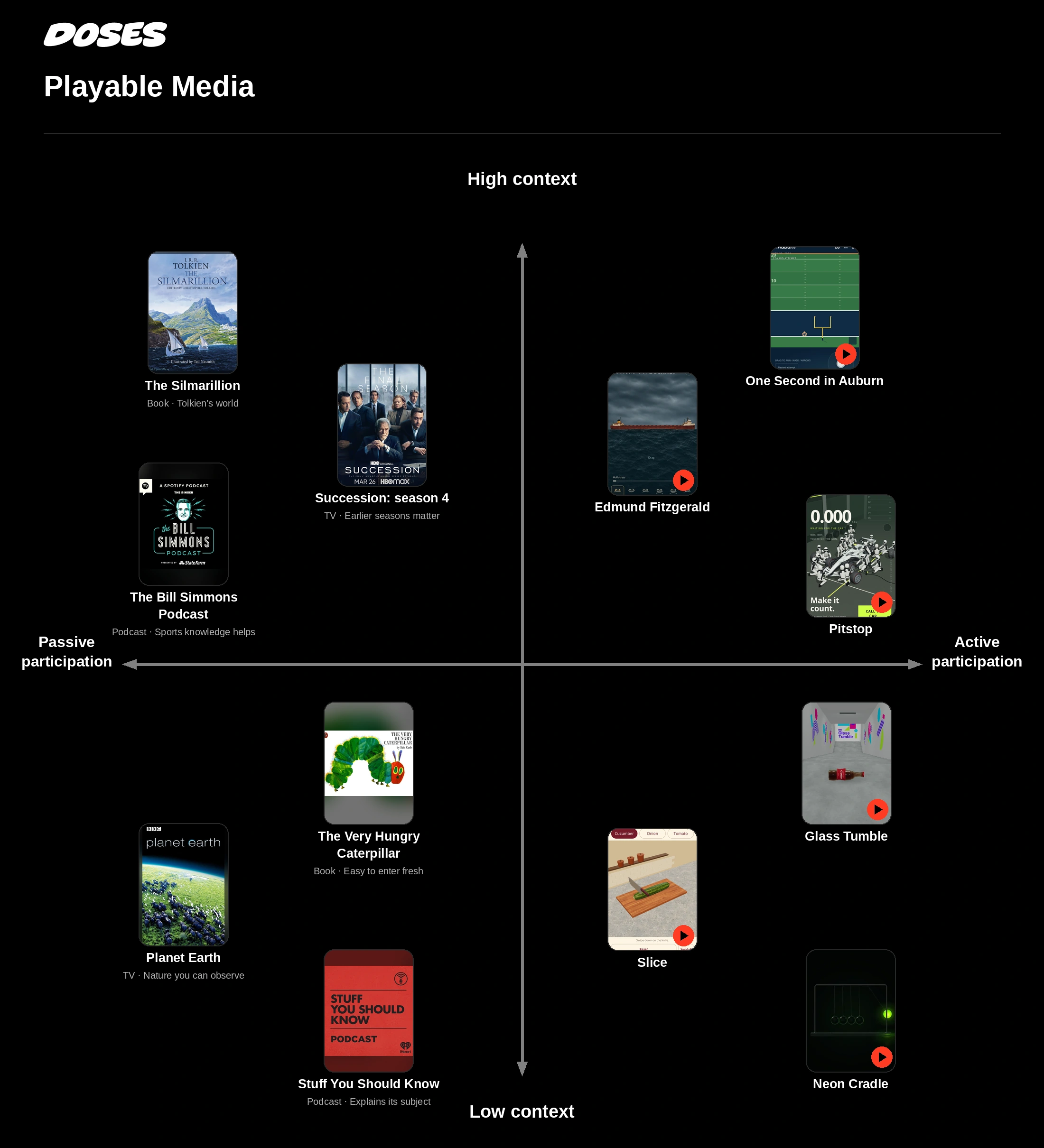
A promising direction for a dose is a familiar reference with an outcome the player can influence. Recognition gives someone a reason to enter; their contribution gives them something to explore. An immediately understandable physical experience can be just as worthwhile. Choose the combination that serves your idea.
Design the controls separately
Someone can understand your subject and still struggle to operate your dose. A football fan may recognize the moment on the field while having no experience with a virtual joystick.
Control context is the knowledge a person needs to understand how to act.
A visible arrow communicates direction. A ball that responds when dragged can suggest pulling and releasing. These controls draw on familiar visual or physical relationships.
An unmarked edge that requires a swipe offers less guidance. Coordinating a clutch and gear changes draws on driving knowledge. Using one stick to move and another to aim draws on a convention many players have learned through games.
Consider the person arriving on their phone with no instructions from you. Look for ways to reveal the action through the object, the placement of a control, a short cue, or a demonstration.
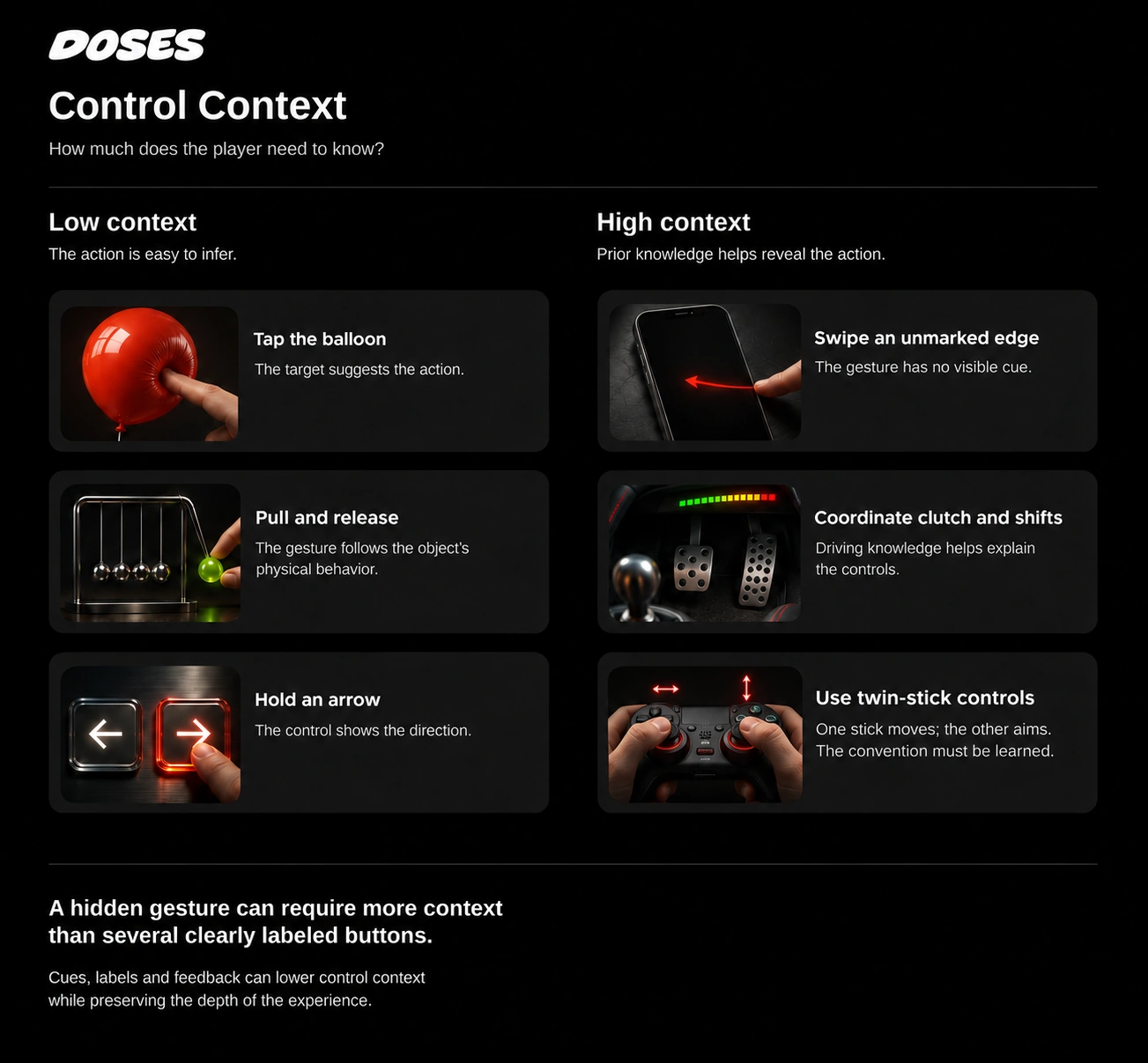
The number of controls tells you little about how much prior knowledge they require. A single hidden gesture can be difficult to discover. Several visible, clearly labeled buttons can be straightforward to use.
You can preserve a demanding mechanic while making its operation clearer. Show which control is available, make its response visible, and let the player learn from each attempt.
Make the first action teach something
Choose an opening action that produces a clear response. A balloon changes when pressed. A ball follows a drag. A steering arrow moves the car in the direction it shows.
That response helps the player connect an input with an outcome. Once that connection is established, introduce whatever makes the experience deeper: precision, combinations, strategy, expression, or discovery.
For a dose based on a famous football moment, the cultural reference might provide the emotional stakes. A brief setup can give newcomers enough context to join in. A visible aiming gesture can explain the controls, while the timing and trajectory of the kick provide the challenge.
Test with someone who has not seen it
Before submitting your dose, give it to someone who has not watched you build it. Let them open it and try it without a spoken explanation. Observe where they touch, what response they expect, and where they hesitate.
Use these questions to review what happened:
Could they understand the appeal, or did they need background information?
Could they discover the first action?
Did the response make that action understandable?
After the first attempt, did they have something they wanted to try?
If they hesitate, identify what knowledge is missing. You might need to establish the premise, expose a control, or make the feedback clearer. Adjust the part that caused the hesitation and try again.
Aim for an opening that helps someone participate and an experience that gives them a reason to keep exploring.
When you are ready to build, follow how to launch on Doses to prepare, upload, preview, and submit your experience.